TABLE OF CONTENTS
- Overview of the Conversion Metrics Dashboard
- Filters and Controls
- Key Summary Metrics
- Conversion Metrics Table By Location Breakdown
- Conversion Metrics Table By Staff Breakdown
- Additional Features
- Benefits
- Support / Contact
Module: Admin App
How to Access Conversion Metrics
- From the left panel in the VoiceStack Admin App, select Conversion Metrics.
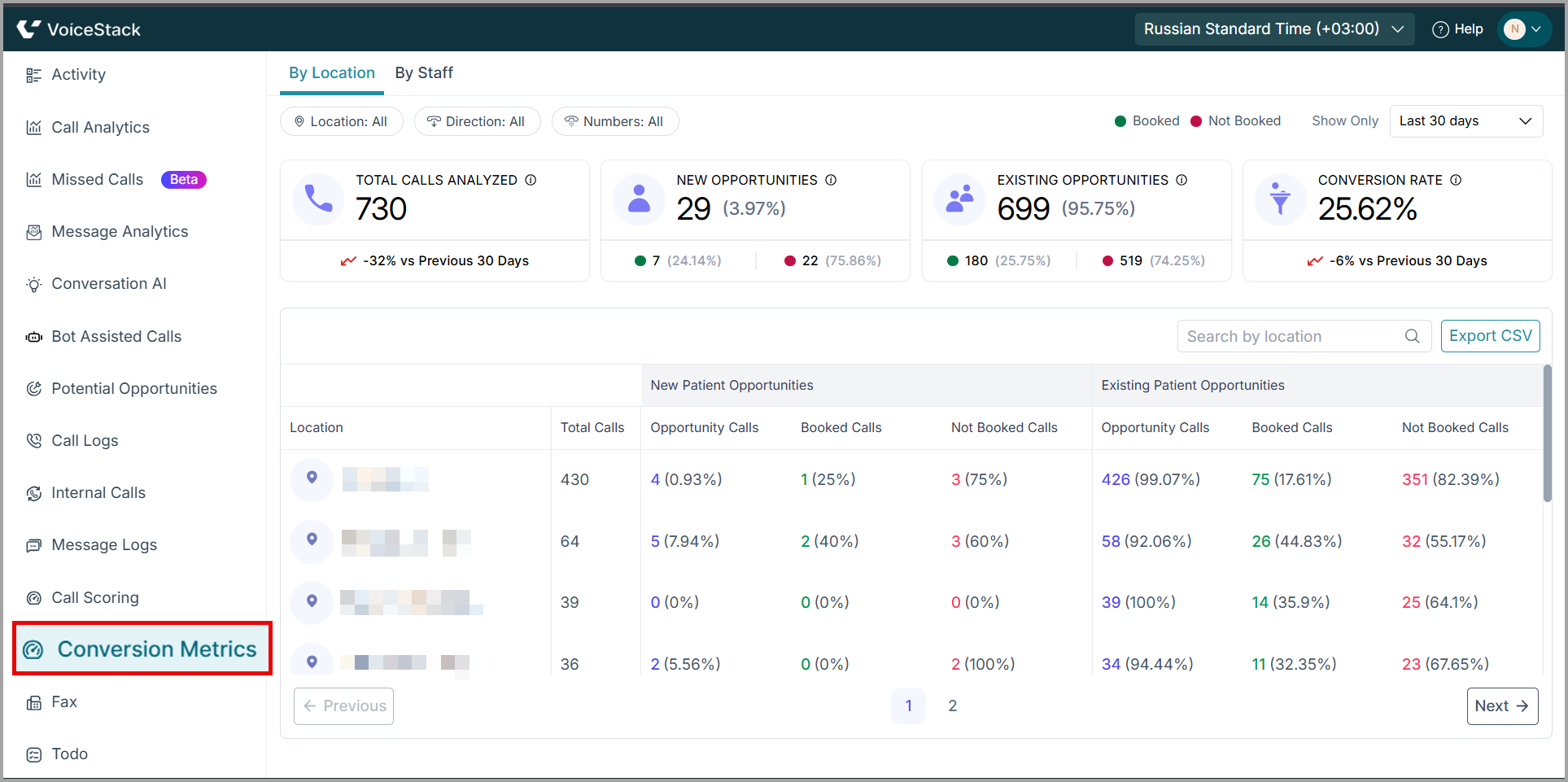
Overview of the Conversion Metrics Dashboard
- At the top of the page, you can switch between two tab views:
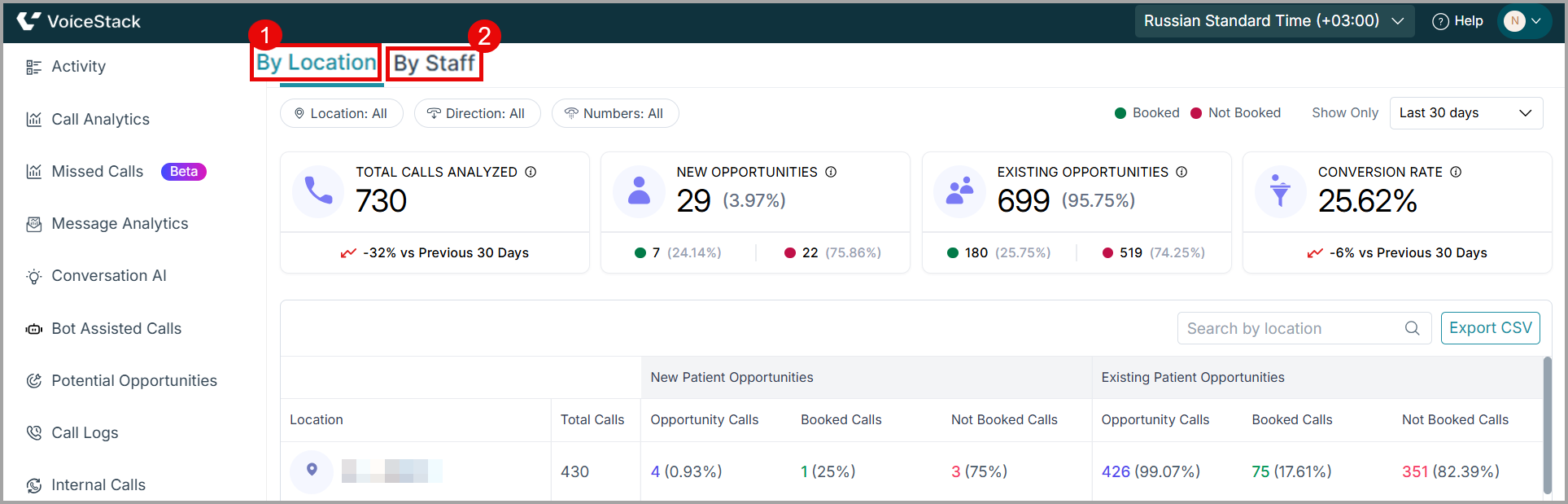
1. View by Location
- Breaks down conversion performance across each clinic or branch based on location.
2. View by Staff
- Displays performance for each agent responsible for handling calls.
Filters and Controls
At the top of the page, you can filter your metrics by:
- Location
- Direction (Inbound/Outbound)
- Phone Numbers
- Date Range (Show Only)

You can customize the analysis for any time period using filters and controls. They help you to break down performance and identify trends.
Key Summary Metrics
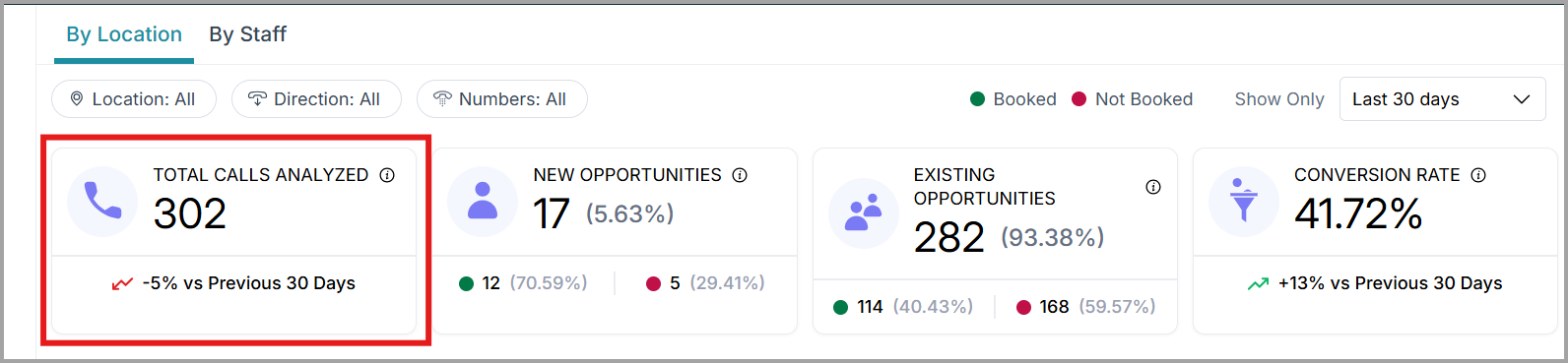
1. Total Calls Analyzed
Shows the number of calls analyzed within the selected date range.
- Helps you gauge overall call volume.
- Includes inbound & outbound calls (based on selected filters).
2. New Patient Opportunities
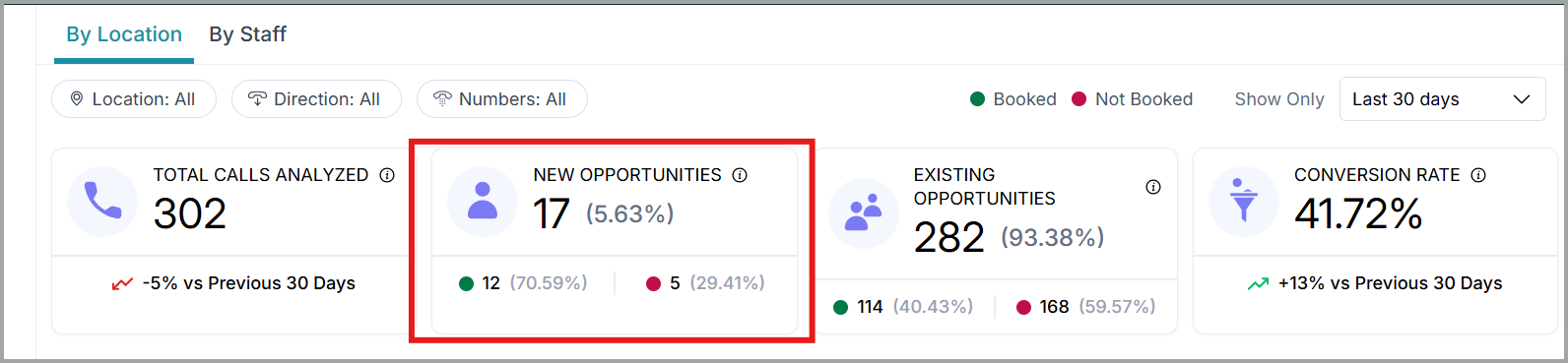
Displays how many new patient opportunities were detected by AI.
This section includes:
- Total New Patient Opportunities.
- Booked Calls (Green).
- Not Booked Calls (Red).
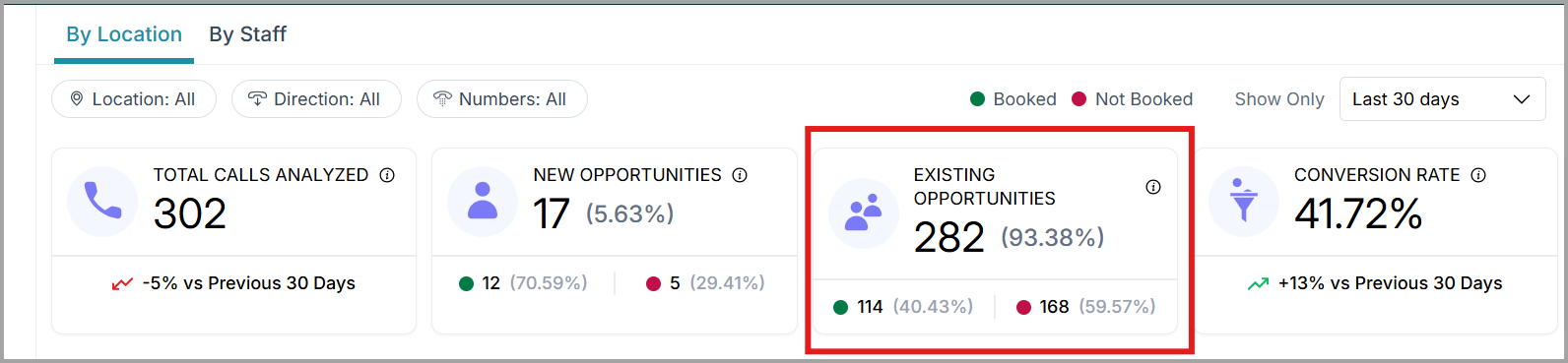
3. Existing Patient Opportunities
These are repeat patients or follow-up opportunities detected from call interactions.
The metrics include:
- Opportunity Calls.
- Booked Calls.
- Not booked Calls.
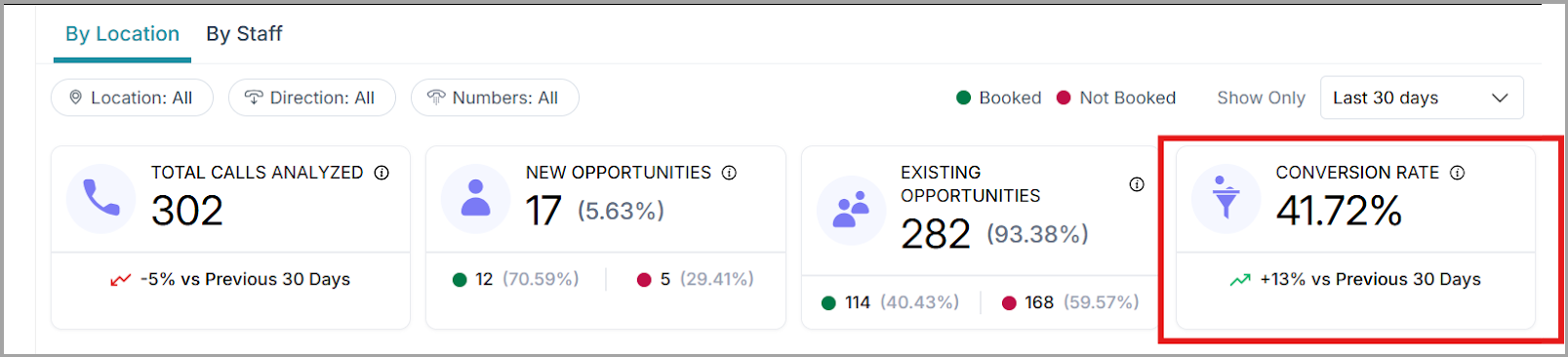
4. Conversion Rate
Shows the percentage of opportunities that are converted (booked). This helps you track overall booking efficiency and compare performance with the previous period.
Conversion Metrics Table By Location Breakdown
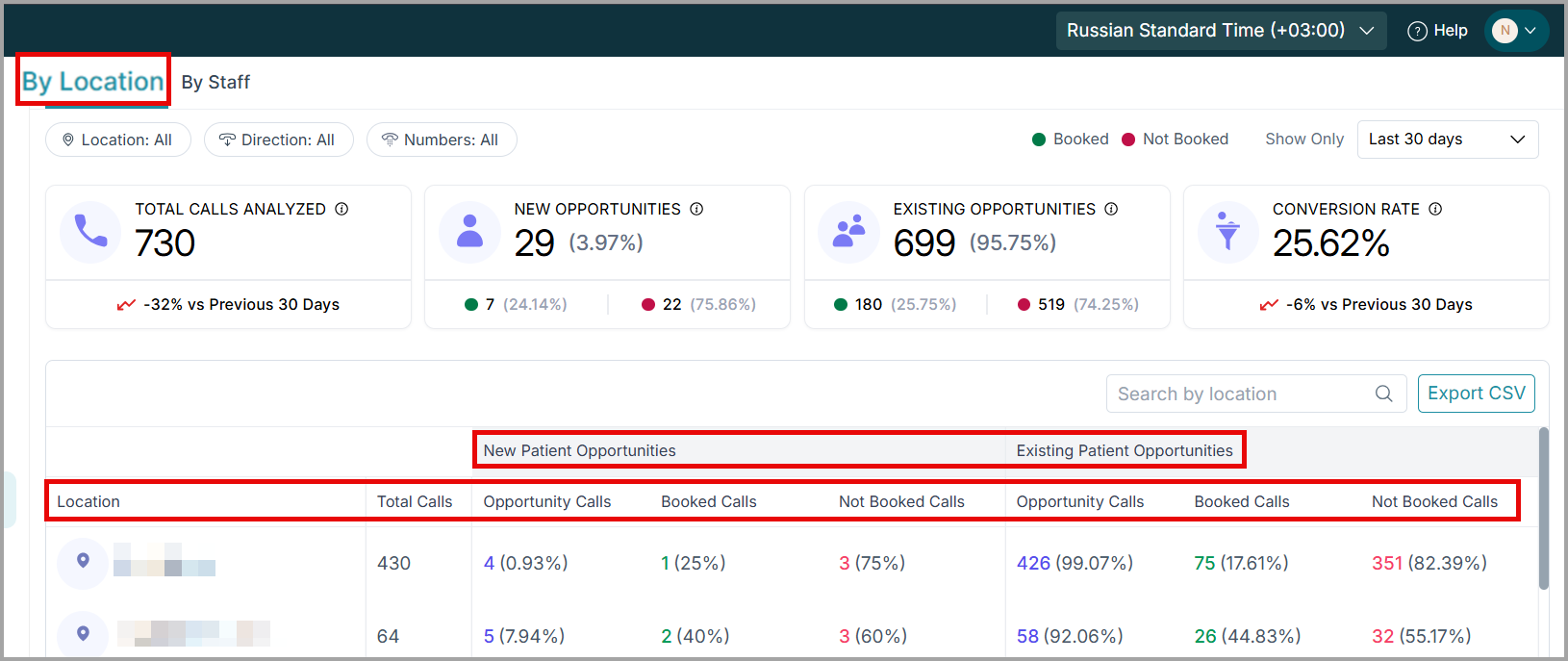
Conversion Metrics by Location tab helps you to compare call performance across different practice locations.
Breakdown of the table
- Total Calls per location.
- New Patient Opportunities and their booking status.
- Existing Patient Opportunities and their booking status.
Use this view to
- Identify high-performing locations.
- Spot locations with low opportunity conversion.
- Review booking efficiency at the branch level.
Columns Explained
1. Location: Name of the clinic or branch.
2. Total Calls: All calls analyzed for that location.
3. New Patient Opportunities: These metrics measure performance specifically for new patient calls.
- Opportunity Calls: Count and percentage of all calls that were flagged as new opportunities.
- Booked Calls: Displays the count and percentage of the new opportunities that were successfully converted.
- Not Booked Calls: Missed conversions for new patients.
4. Existing Patient Opportunities: These metrics measure booking opportunities from current or returning patients.
- Opportunity Calls: Number of existing-patient calls identified as booking opportunities.
- Booked Calls: Successful conversions among existing patients.
- Not Booked Calls: Missed opportunities for existing patients.
| Note: When you click the numbers under each metric, you are redirected to the corresponding call log. |
Conversion Metrics Table By Staff Breakdown
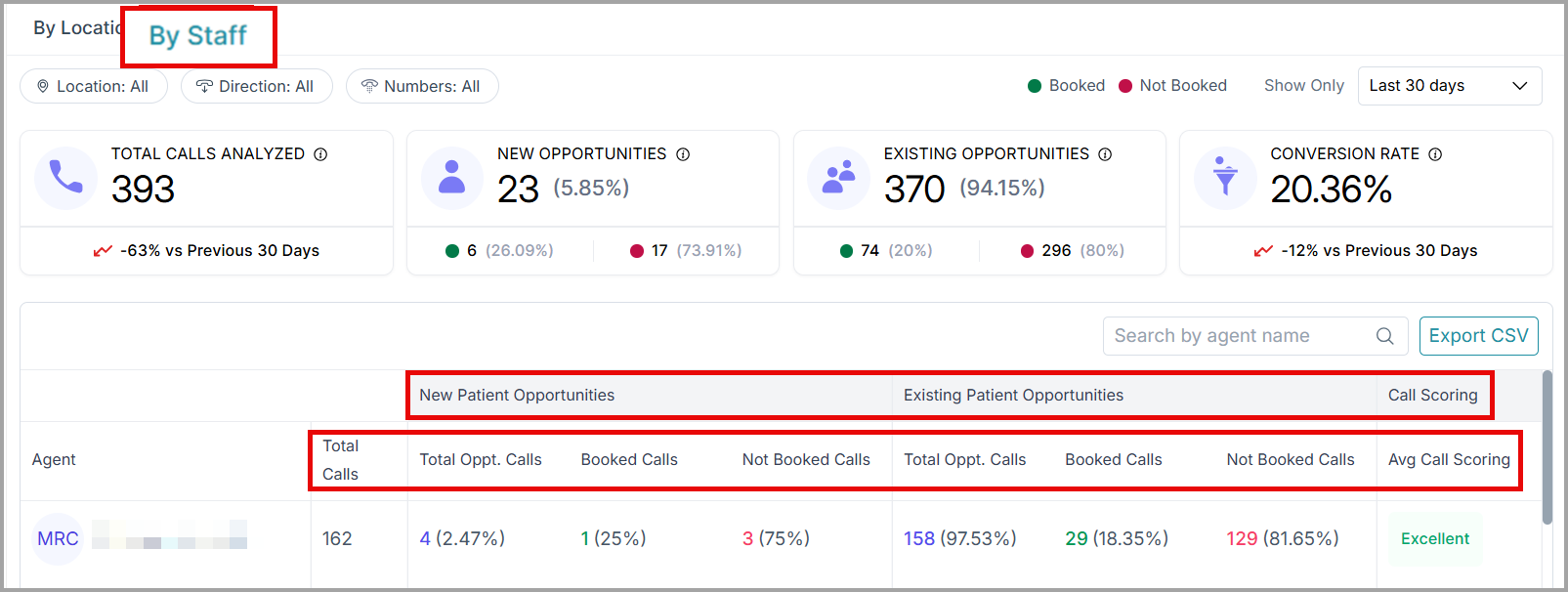
Conversion Metrics by Staff tab helps you measure how individual team members perform in conversations and bookings.
Breakdown of the table
- Total Calls handled by each staff member.
- New Patient Opportunities and their booking status.
- Existing Patient Opportunities and their booking status.
- Call Scoring (skill-based performance indicator).
Use this view to
- Evaluate staff performance.
- Identify training needs.
- Reward top performers.
- Improve patient experience consistency.
Columns Explained
1. Agent: The staff member who handled the calls.
2. Total Calls: Total number of calls answered by that agent.
3. New Patient Opportunities: The metrics that show new patient opportunities.
- Total Opportunity Calls: Number of new patient calls identified as booking opportunities by the agent.
- Booked Calls: Completed new patient conversions by the agent.
- Not Booked Calls: Missed new patient conversions by the agent.
4. Existing Patient Opportunities: The metrics that show existing patient opportunities.
- Total Opportunity Calls: Number of existing patient calls identified as booking opportunities by the agent.
- Booked Calls: Completed existing patient conversions by the agent.
- Not Booked Calls: Missed existing patient conversions by the agent.
5. Call Scoring: If call scoring is enabled, the system assigns a quality score, such as:
- Excellent
- Good
- Needs Improvement
- Or N/A if enough data is not available.
This helps evaluate call handling quality in addition to booking performance.
Additional Features
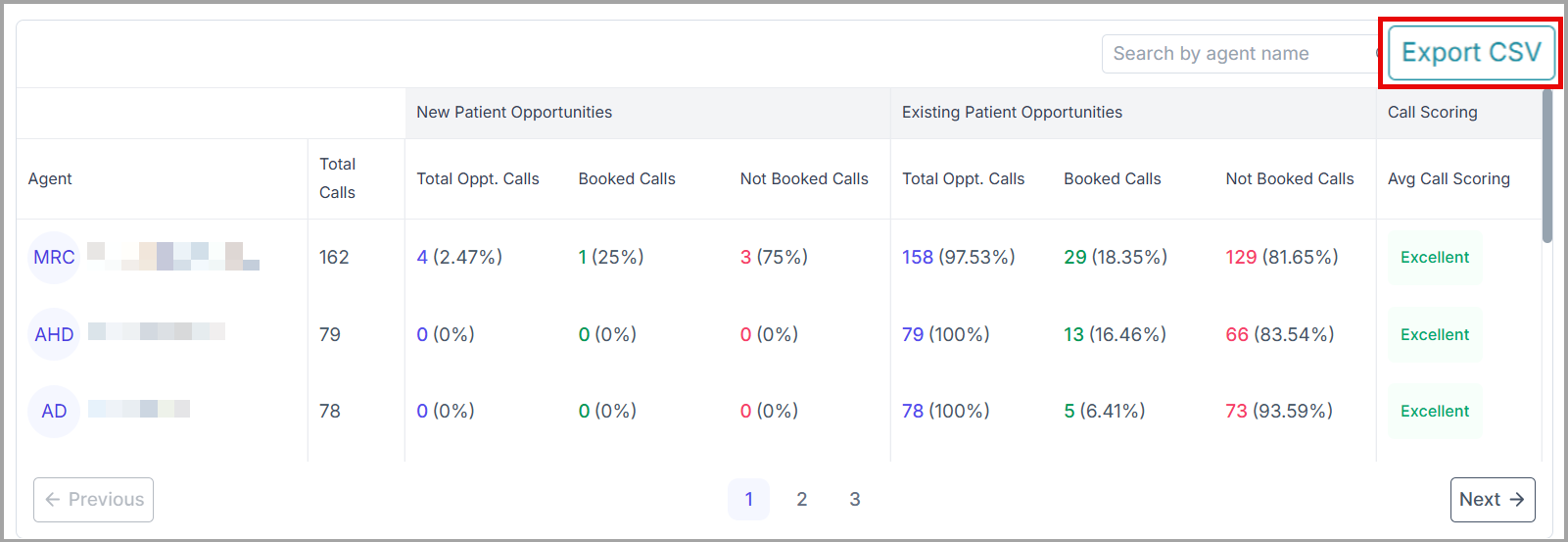
- Export CSV: Download the entire dataset for offline analysis or reporting.
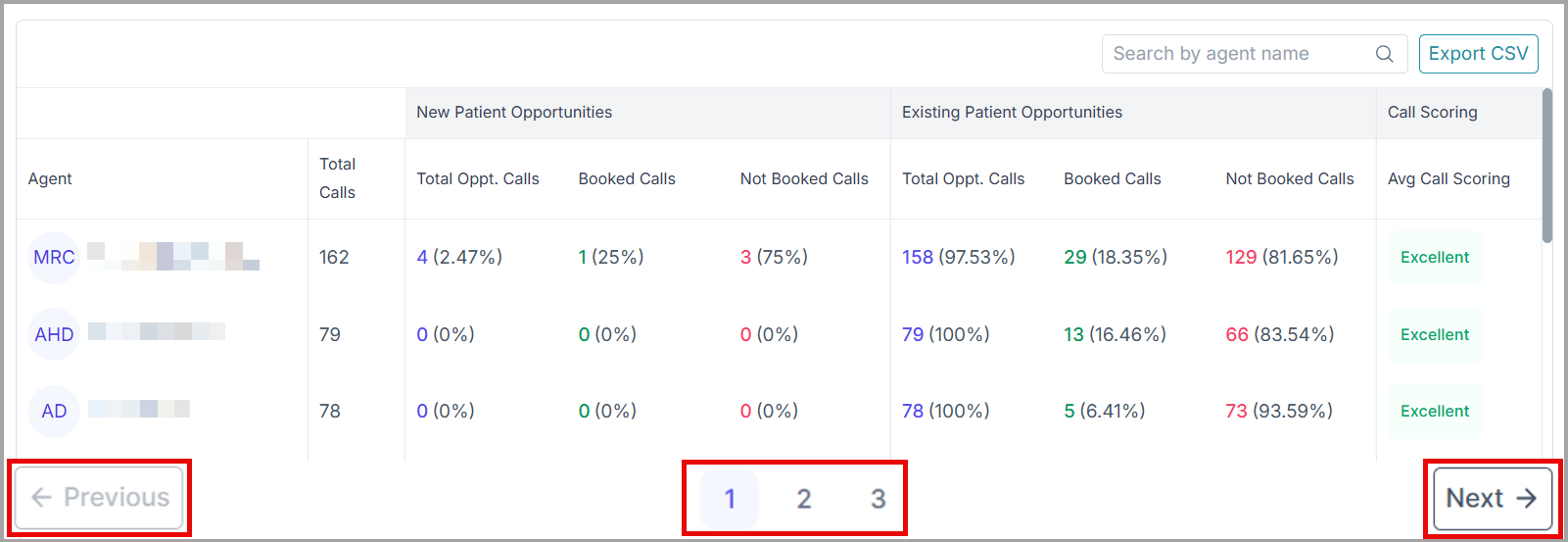
- Pagination: Use the Next, Previous, and number buttons to browse between multiple pages of data.
Benefits
- Identify high-performing agents or locations: Use these insights to replicate successful processes across your team.
- Spot training opportunities: High Not Booked percentages can indicate areas where scripts or skills need improvement.
- Monitor trends over time: The comparison tools show whether conversions are improving month over month.
- Optimize staffing: Locations with high call volumes but low conversions may need additional support or reallocation.
Support / Contact
Need further help? Contact support@voicestack.com or call 407-833-6436.
Was this article helpful?
That’s Great!
Thank you for your feedback
Sorry! We couldn't be helpful
Thank you for your feedback
Feedback sent
We appreciate your effort and will try to fix the article