Deskphone
Here are the steps to perform a warm transfer on a deskphone.
- Press the Answer key on your deskphone to answer the incoming patient call.
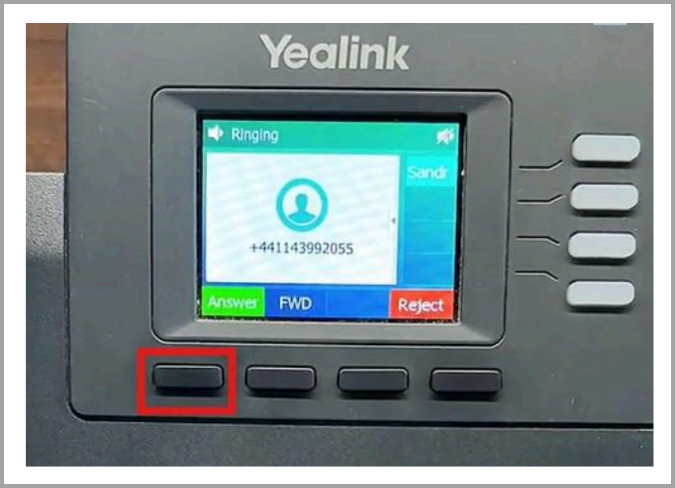
2. Inform the patient that you will be placing them on hold briefly while you connect them to the appropriate teammate and share relevant details.
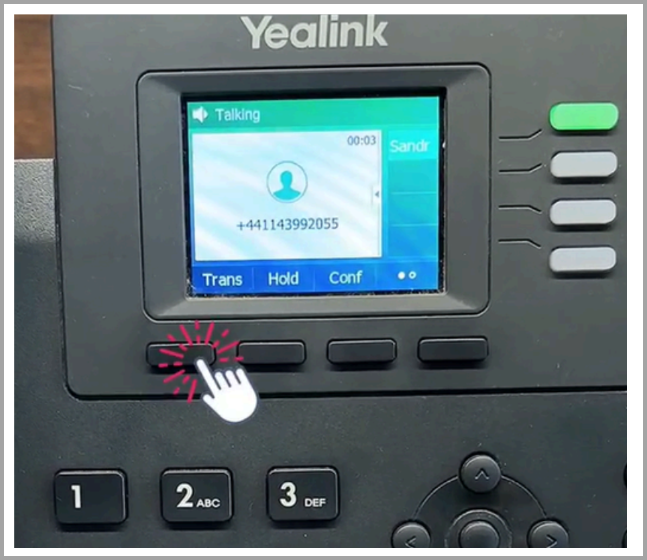
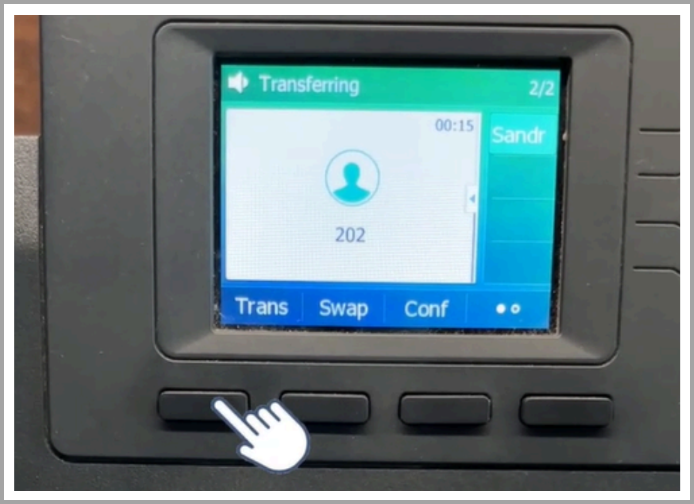
3. Press the Transfer key on your deskphone to initiate the transfer, the transfer screen will appear.
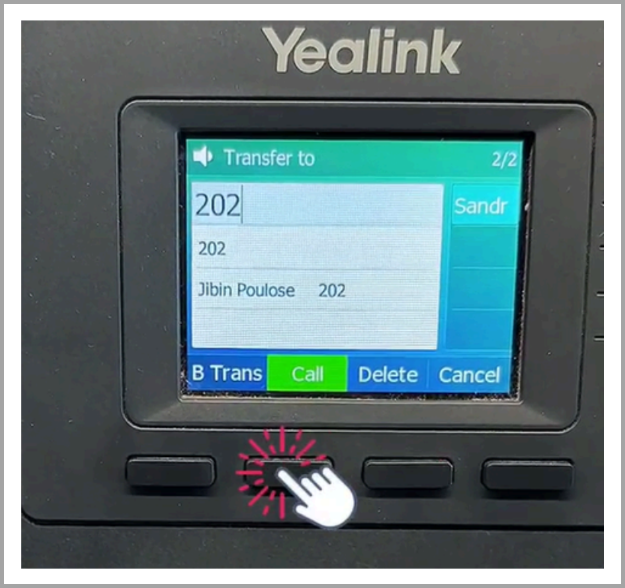
4. Dial your teammate’s extension number (for example, 202), then press the Call key to connect with them.
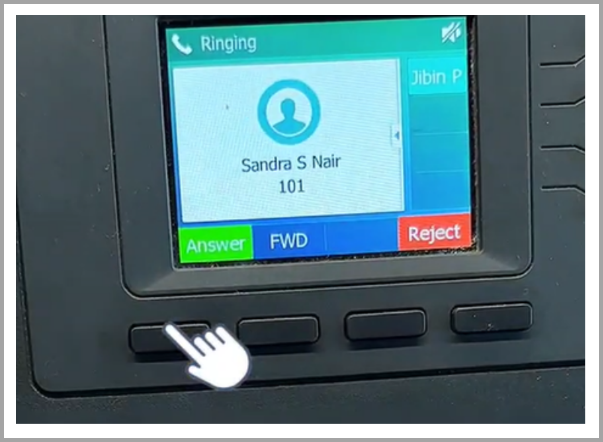
5. When your teammate’s phone rings, they can press the Answer key to accept the internal call.
6. Once connected to your teammate, briefly share the patient’s name and reason for the call so they are prepared to assist.
| Note: Internal calls between teammates are not recorded. |
7. After sharing the necessary details, press the Transfer key again to complete the transfer and connect the patient to your teammate.
8. Once the transfer is completed, a “Transfer operation complete” message will appear on the deskphone, confirming that the patient’s call has been successfully transferred to your teammate.
Use Cases
Sharing Patient Context
When transferring a patient call, you can provide your teammate with important details such as the patient’s name, reason for the call, or specific inquiry before completing the transfer.Ensuring Preparedness
Allows your teammate to be fully prepared to assist the patient, resulting in a smoother transition and an improved patient experience.Internal Collaboration
Enables quick coordination between team members by allowing a brief discussion before connecting the patient.
Support
Need further help? Contact support@voicestack.com or reach out to us at 407-833-6436.
Was this article helpful?
That’s Great!
Thank you for your feedback
Sorry! We couldn't be helpful
Thank you for your feedback
Feedback sent
We appreciate your effort and will try to fix the article