TABLE OF CONTENTS
- How to Static Park a Call
- How to Retrieve a Static Parked Call
- Use Cases
- Key Benefits
- Best Practices
- Tips for Agents
- Support
Module: Agent App
How to Static Park a Call
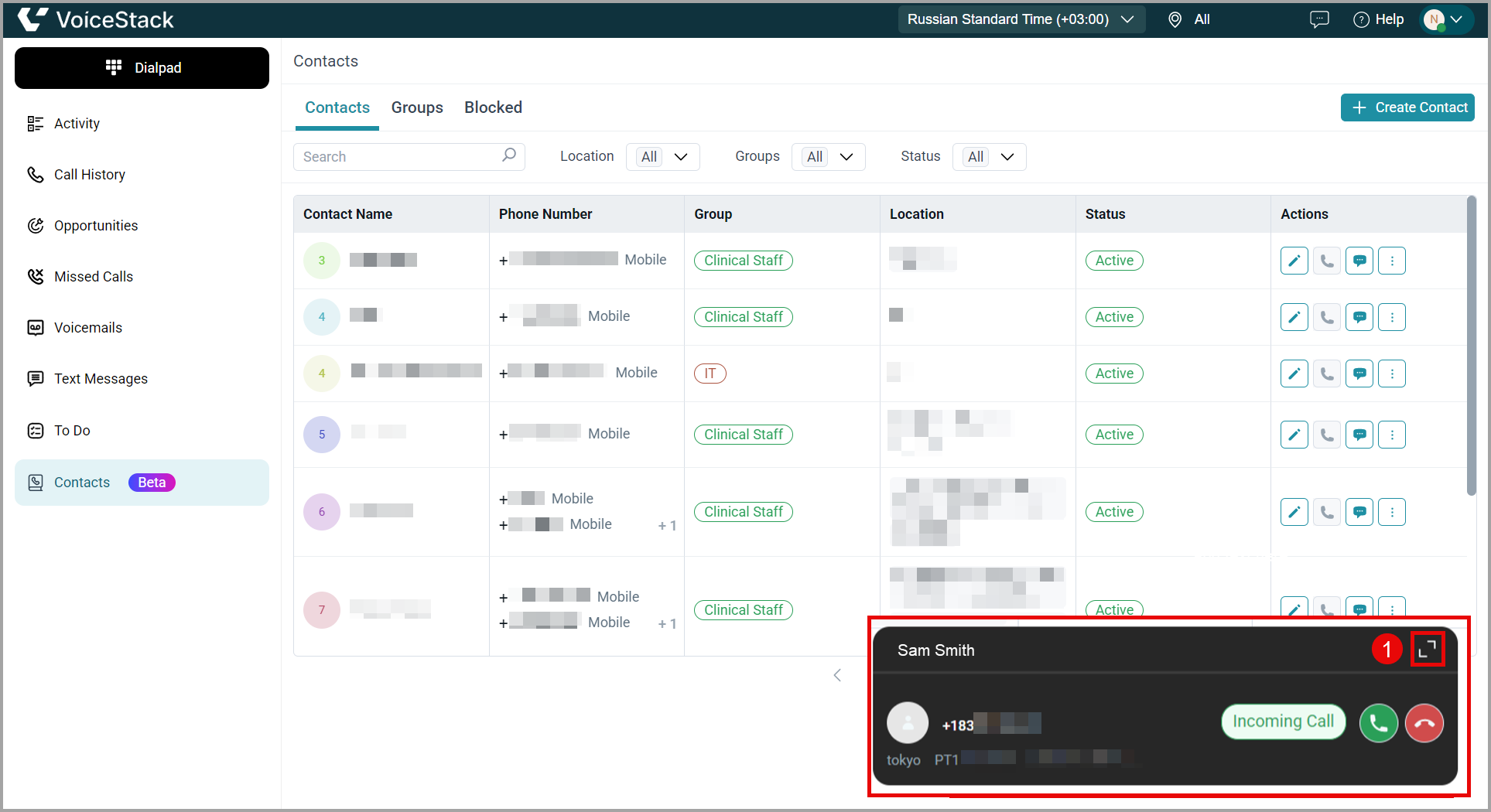
1. While receiving an incoming call, answer the call and expand the call details pop-up.
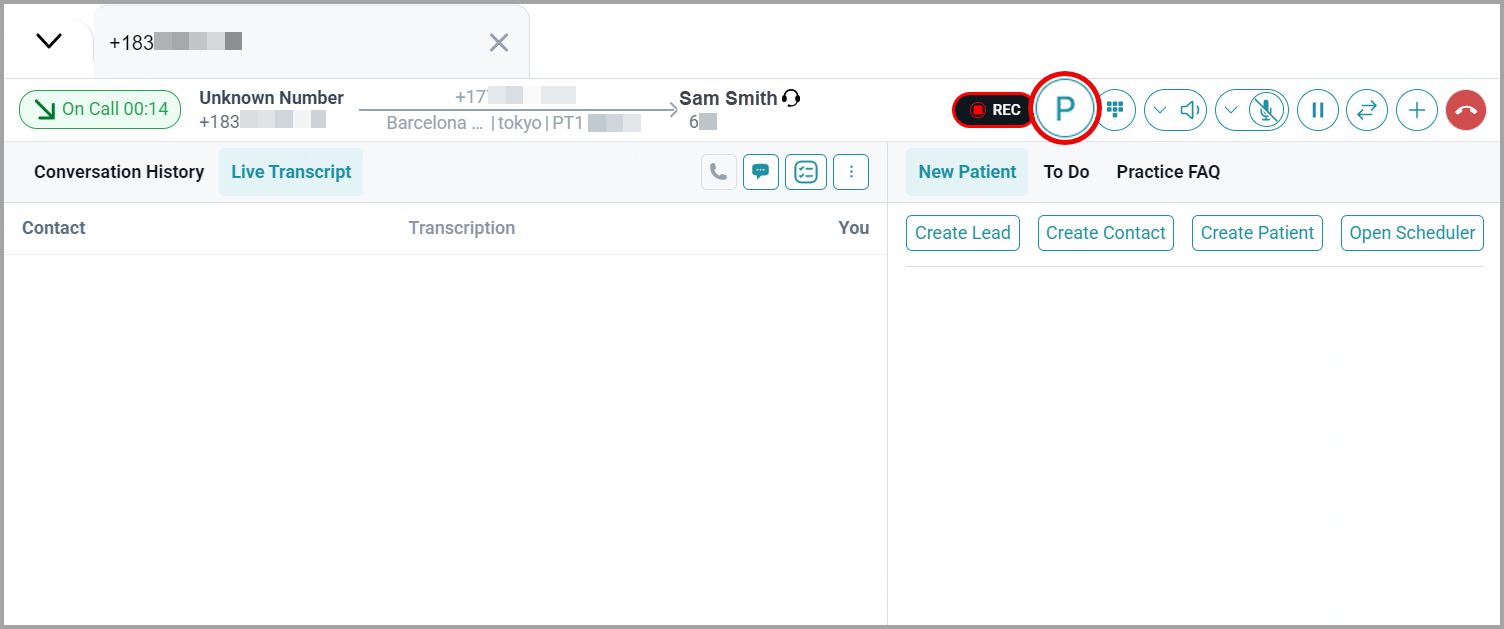
2. Once you expand the call, click the Park button (the P icon) to select the parking slot.
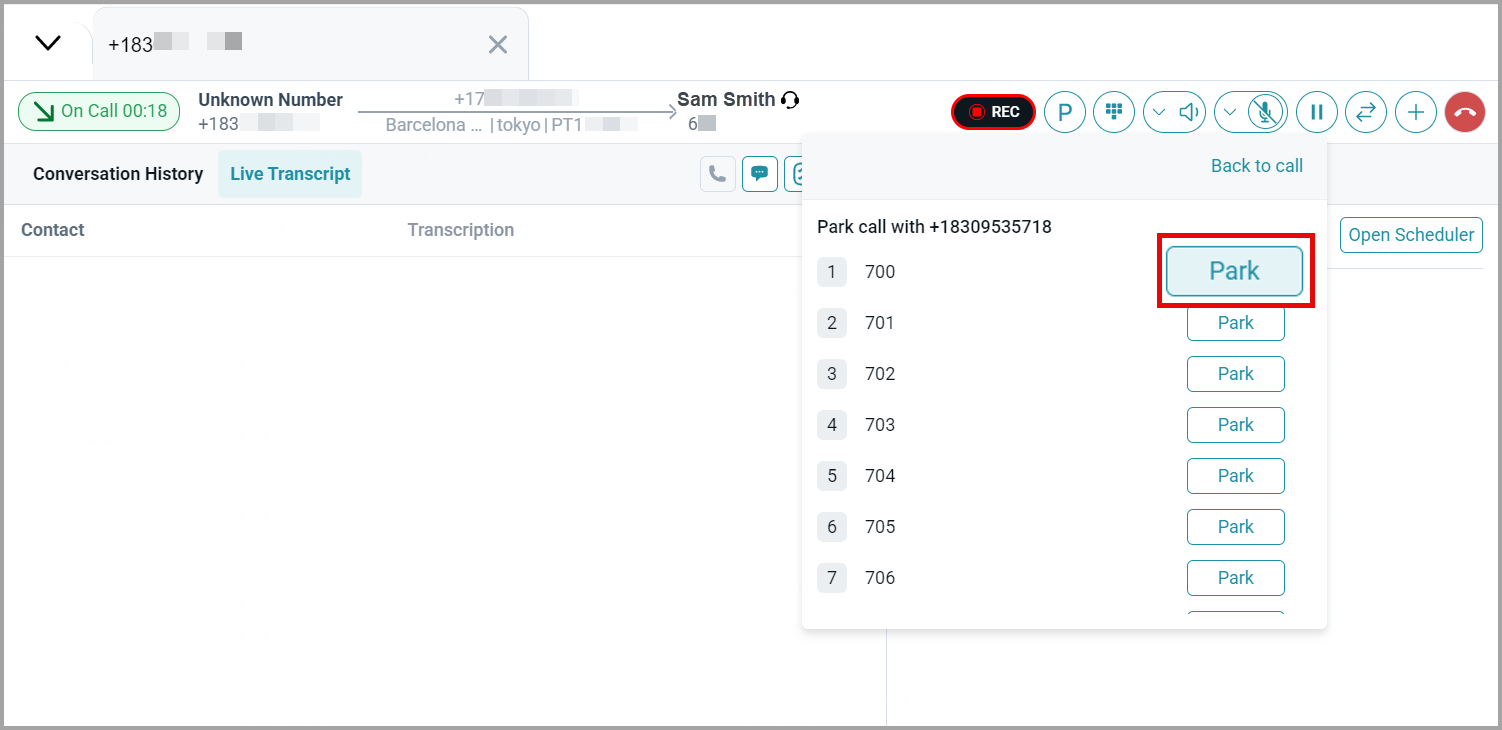
3. Click Park on the desired parking slot.
4. The customer’s call is parked in the selected parking slot.
Agents assigned to that parking slot can attend to the call.
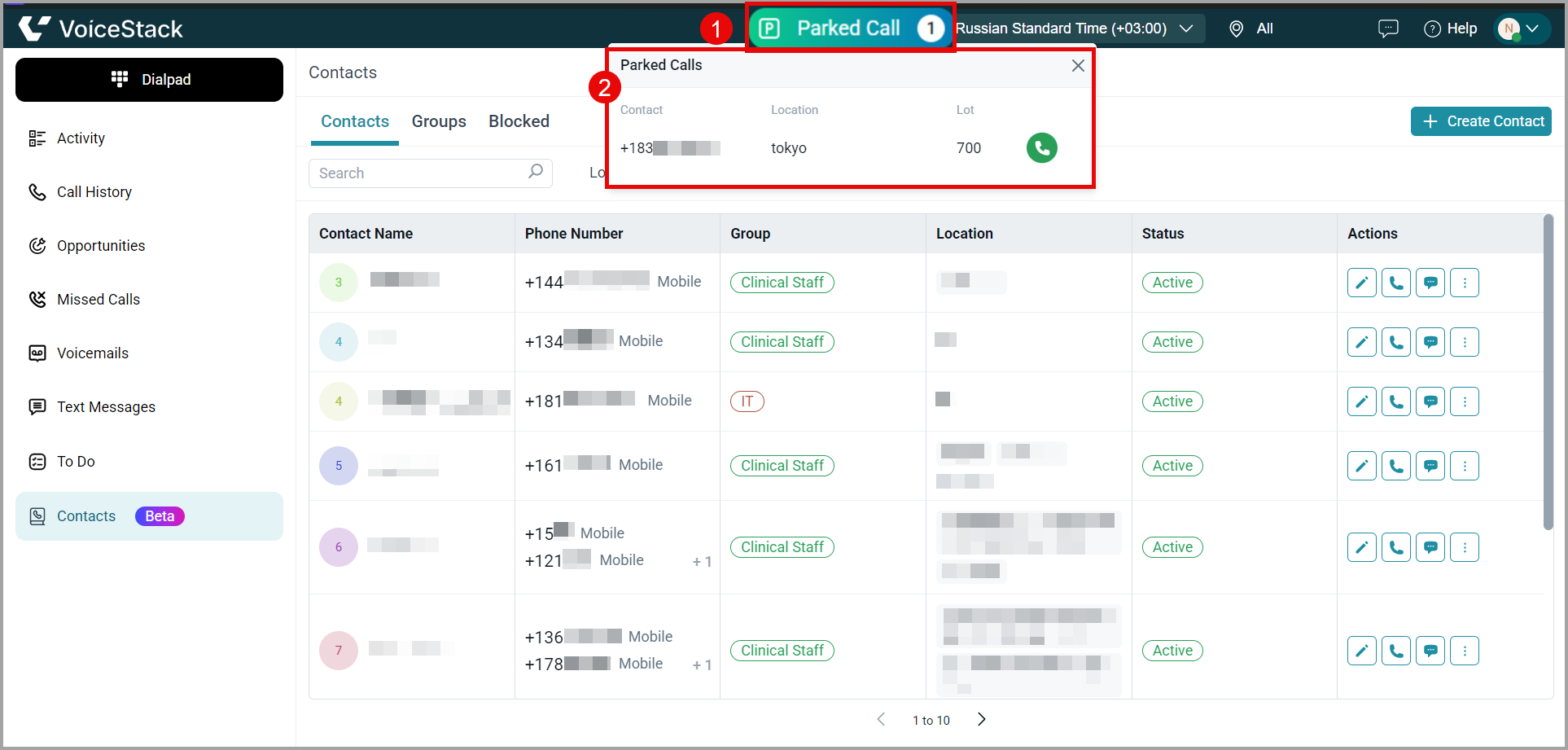
The call is disconnected from your end, and a parked-call indicator is displayed.
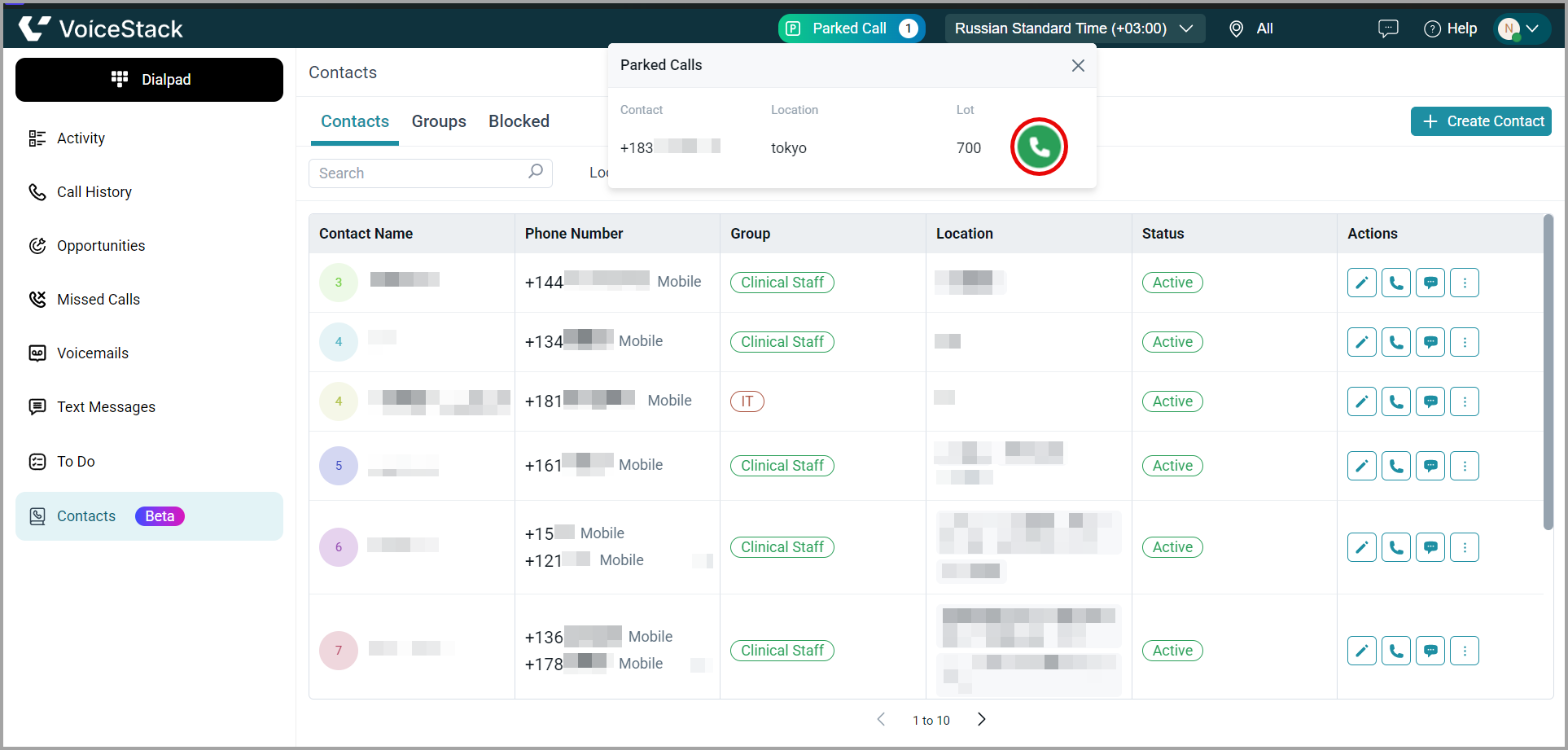
5. You can view the details of the parked call by clicking the parked-call indicator.
How to Retrieve a Static Parked Call
- To retrieve the call, click the Call icon in the parked-call details.
Use Cases
| Scenario | Action Taken |
| Receptionist receives a call for billing team. | The receptionist parks the call at the billing desk slot so the billing team can retrieve it. |
| A call needs to be picked up by a supervisor. | The agent parks the call and notifies the supervisor to pick it up. |
| An agent needs to change devices. | The agent parks the call and retrieves it from another device. |
Key Benefits
- Efficient Call Handling: Enables smooth redirection of calls without manual transfers.
- Device Flexibility: Retrieve the call from any assigned device or station.
- Collaboration: Multiple agents can monitor and act on parked calls.
- Time-Saving: Reduces call drops or rerouting time for high-urgency scenarios.
Best Practices
- Label Parking Slots Clearly: So agents can quickly identify where to send/receive calls.
- Notify Target Agents: After parking a call, message or ping the intended recipient.
- Monitor Call Duration: Don’t leave parked calls unattended for long.
- Assign Roles: Ensure agents know which parking slots they’re responsible for.
Tips for Agents
- Use call parking when unsure of the right transfer destination.
- Set team parking protocols to avoid confusion or missed pickups.
- Monitor for the parked call indicator to confirm successful parking.
- If a call is not picked up quickly, retrieve and re-engage with the caller.
Support
Need further help? Mail us at support@voicestack.com or call 407-833-6436.
Was this article helpful?
That’s Great!
Thank you for your feedback
Sorry! We couldn't be helpful
Thank you for your feedback
Feedback sent
We appreciate your effort and will try to fix the article