Module: Admin App
TABLE OF CONTENTS
- Accessing the Reports
- Filter, Search & Export
- Report Fields and Descriptions
- KPIs and Insights Obtained from the Reports Module
- Use Cases
- Highlights
- Benefits
- Best Practices
- Edge Cases
- Example Scenarios
- Support / Contact
Accessing the Reports
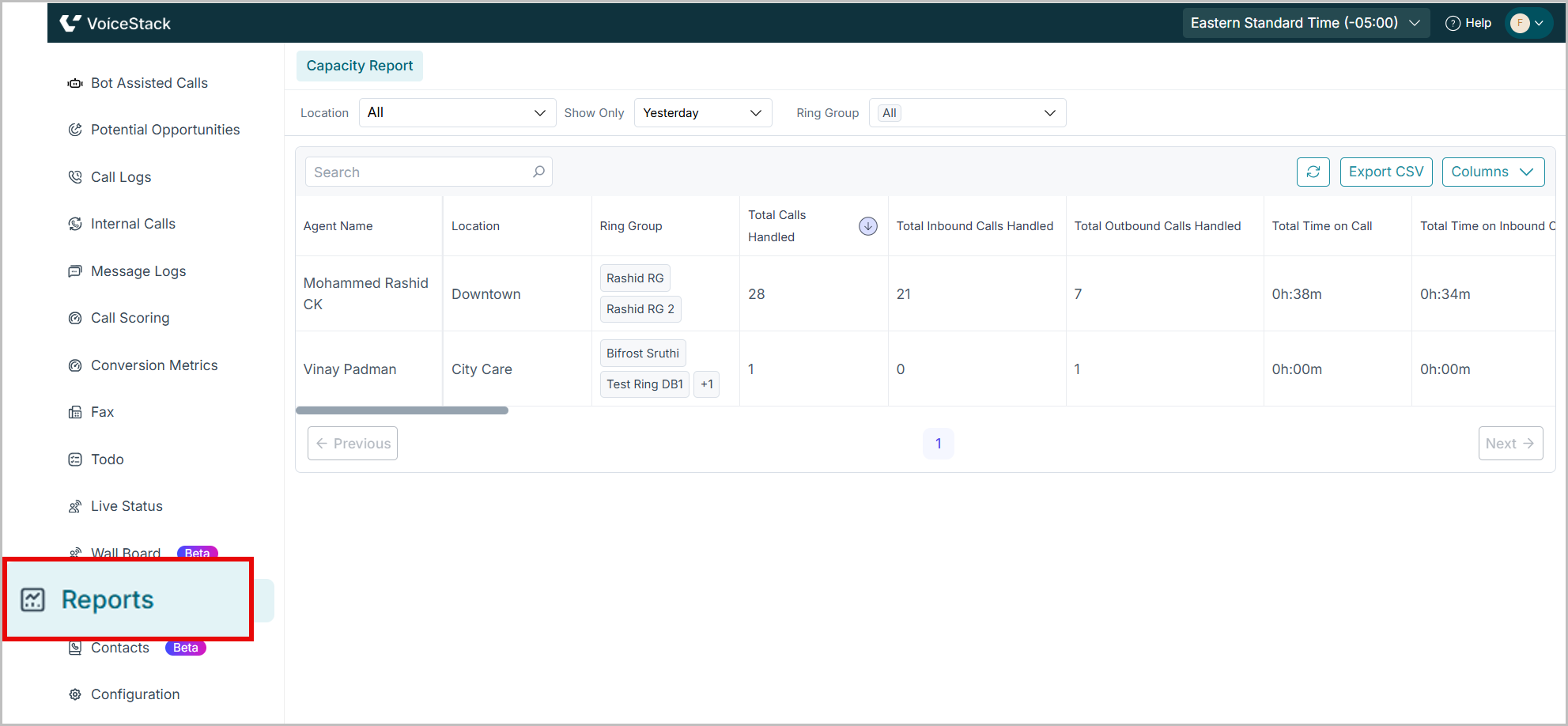
- Navigate to Reports from the left panel.
Filter, Search & Export
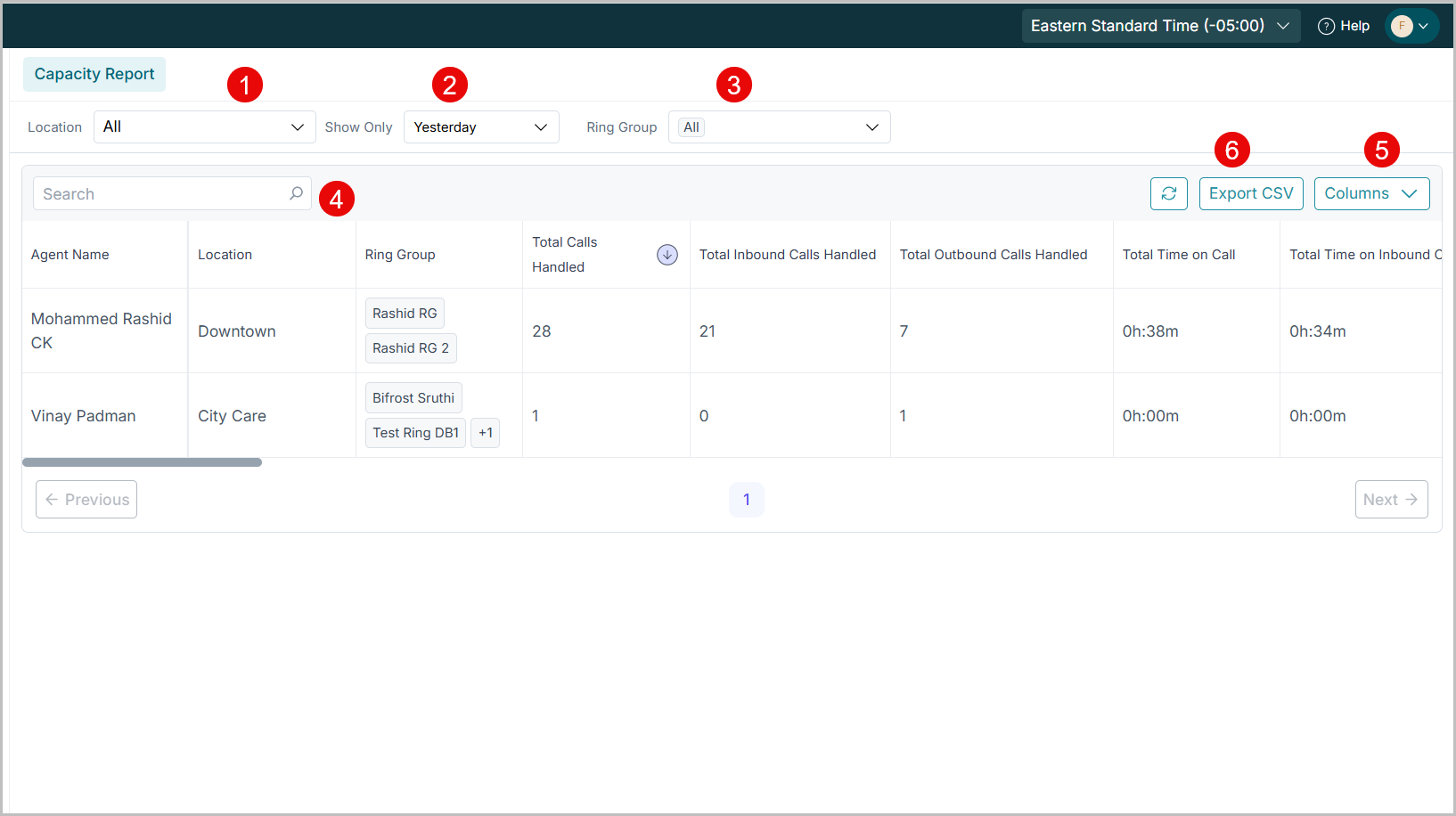
- Location Dropdown: Filter by office, department or site.
- Time Range Selector: Choose between pre-defined periods such as "Today", "Yesterday", "This Week"etc
- Ring Group: Select the required ring group.
- Search Bar: Quickly locate a specific agent by name.
- Column Selector: Show or hide specific data columns as needed.
- Export CSV: Download the report in CSV format for offline review or sharing.
Report Fields and Descriptions
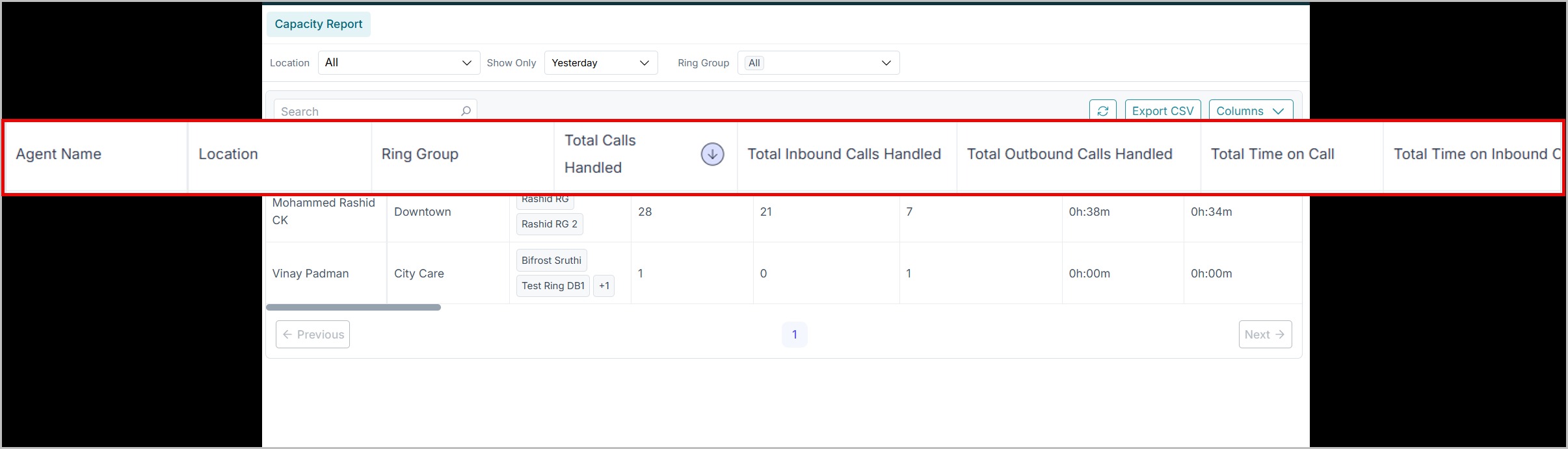
| Field | Description |
| Agent Name | Name of the agent |
| Location | Denotes the Team or site |
| Total Available Time | Duration online and available (including breaks/logouts) |
| Total Calls Handled | Number of inbound and outbound calls |
| Total Time on Call | Time spent talking to customers |
| Total Time on Wrap-up | Time spent on post-call tasks like taking notes |
| Extended DND | Indicates duration in which agents remain in Do Not Disturb (DND) status beyond the predefined duration set by the organization. |
| Total DND Duration | Time in Do Not Disturb |
| Tea/Lunch/Washroom Break / Meeting | Includes agent status like Tea/Lunch/Washroom Break or Meeting, showing the total time logged in each status. |
Note: All statuses displayed in this report are directly pulled from the statuses set by agents in their Agent App. Admins can customize or manage these status options under Configuration → Agent Status. Admins can customize these under Configuration → Agent Status. |
KPIs and Insights Obtained from the Reports Module
- Calls handled per agent
- Availability vs DND ratio
- Wrap-up efficiency
- Break and meeting time trends
Use Cases
- Performance Monitoring: Can be used to detect idle agents or those with low activity
- HR evaluation: Supports appraisals or promotions. Ensures a fair, data backed evaluation of agents
- Process Optimization: Helps identify misuse of breaks or even uneven call distribution.
Highlights
- Provides transparent visibility into agent work patterns
- Enables comparison of teams and locations
- Flags inactivity and overutilization
- Exportable CSV supports HR reviews
Benefits
- Identifies top-performing vs underperforming agents
- Helps enforce break and DND policy adherence
- Prevents agent burnout
- Simplifies monthly and quarterly performance reporting
Best Practices
- Flag agents with “Total Calls Handled = 0” to identify periods of inactivity.
- Monitor wrap-up time to detect delays or inefficiencies in post-call activities.
- Track Do Not Disturb (DND) duration trends to identify unproductive behavior patterns.
- Export and review reports weekly with HR and team leads for performance insights.
- Establish benchmarks for agent availability and call handling performance by shift or team.
Edge Cases
- Accurate data depends on agents logging statuses correctly
- Inactive agents due to technical issues may appear as low-performing
Example Scenarios
| Field | Low Activity | High Performer | Unbalanced Team |
| Total Available Time |
120 Hrs |
100 Hrs | Location A: 50 Hrs, 30 Calls Location B: 100 Hrs, 90 Calls |
| Total Calls Handled |
0 |
150 |
|
| DND Duration/Wrap up Time | 10 Hrs | 4 Hrs |
|
| Breaks | 20 Hrs | 5 Hrs |
|
| Action | Review low activity; potential causes could include technical issues or improper use of DND. | Celebrate high performers and support them in mentoring others. | Review team capacity; redistribute workload or provide training |
Support / Contact
Need further help? Contact support@voicestack.com or call 407-833-6436.
Was this article helpful?
That’s Great!
Thank you for your feedback
Sorry! We couldn't be helpful
Thank you for your feedback
Feedback sent
We appreciate your effort and will try to fix the article